Figma + Cursor Portfolio

Exploration of specific
use cases for Figma + Cursor

Most people know Cursor as a tool for building websites and apps. But what else can it do?

In this series, I explore how Cursor, combined with the Figma plugin and Claude models, can assist with design-focused workflows inside Figma—from design analysis and competitive research to report generation and design system application. Together, we'll uncover new ways AI can support the end-to-end design process.

01 · Research intelligence

Design Research &
Competitive Analysis

Use AI to extract insights from design files and research materials. Analyze competitors, identify patterns and turn raw findings into clear reports.

Competitive Analysis

Analyze competitors and design patterns across products, screens and device types.

Competitor MappingMarket Scan

Design Audit Reports

Generate structured competitive analysis reports and summarize findings directly within Figma.

Pattern AuditBest Practices

Pattern Identification

Identify recurring trends, shared structures and product-specific opportunities.
Insight ReportsTrend Signals
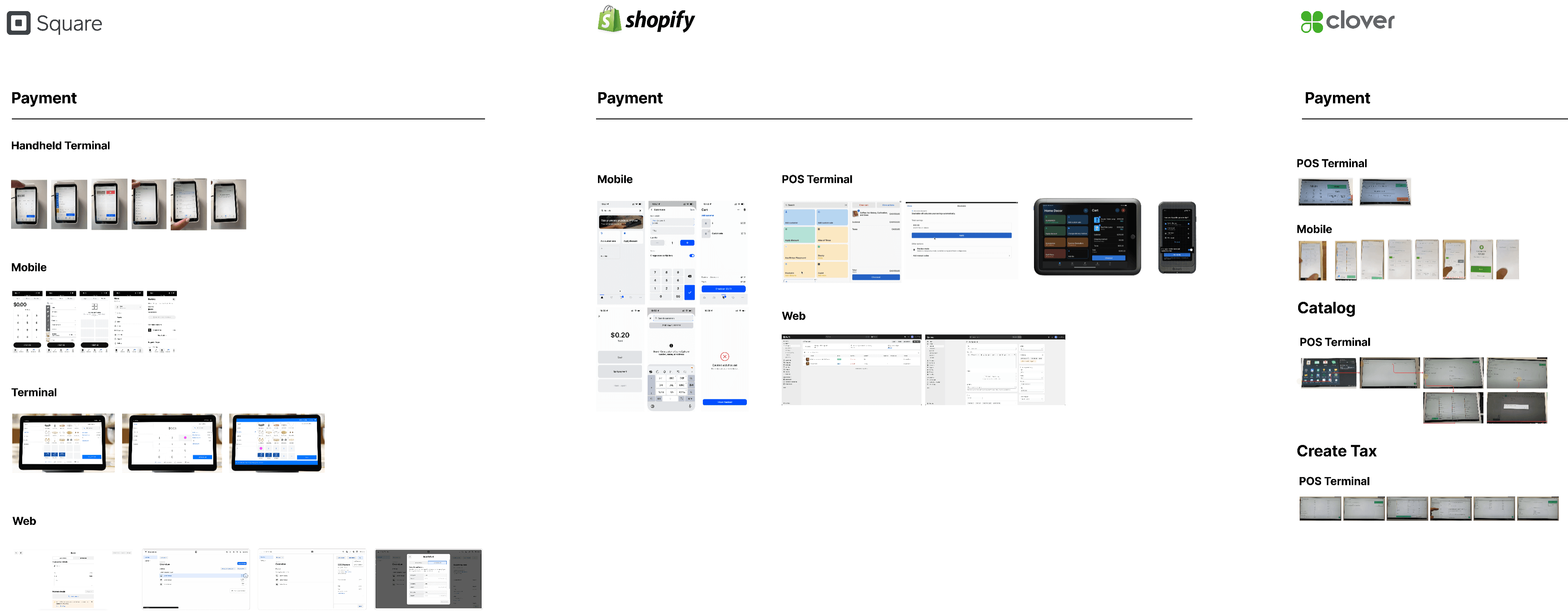
Figma boards used for Square, Shopify and Clover competitor research
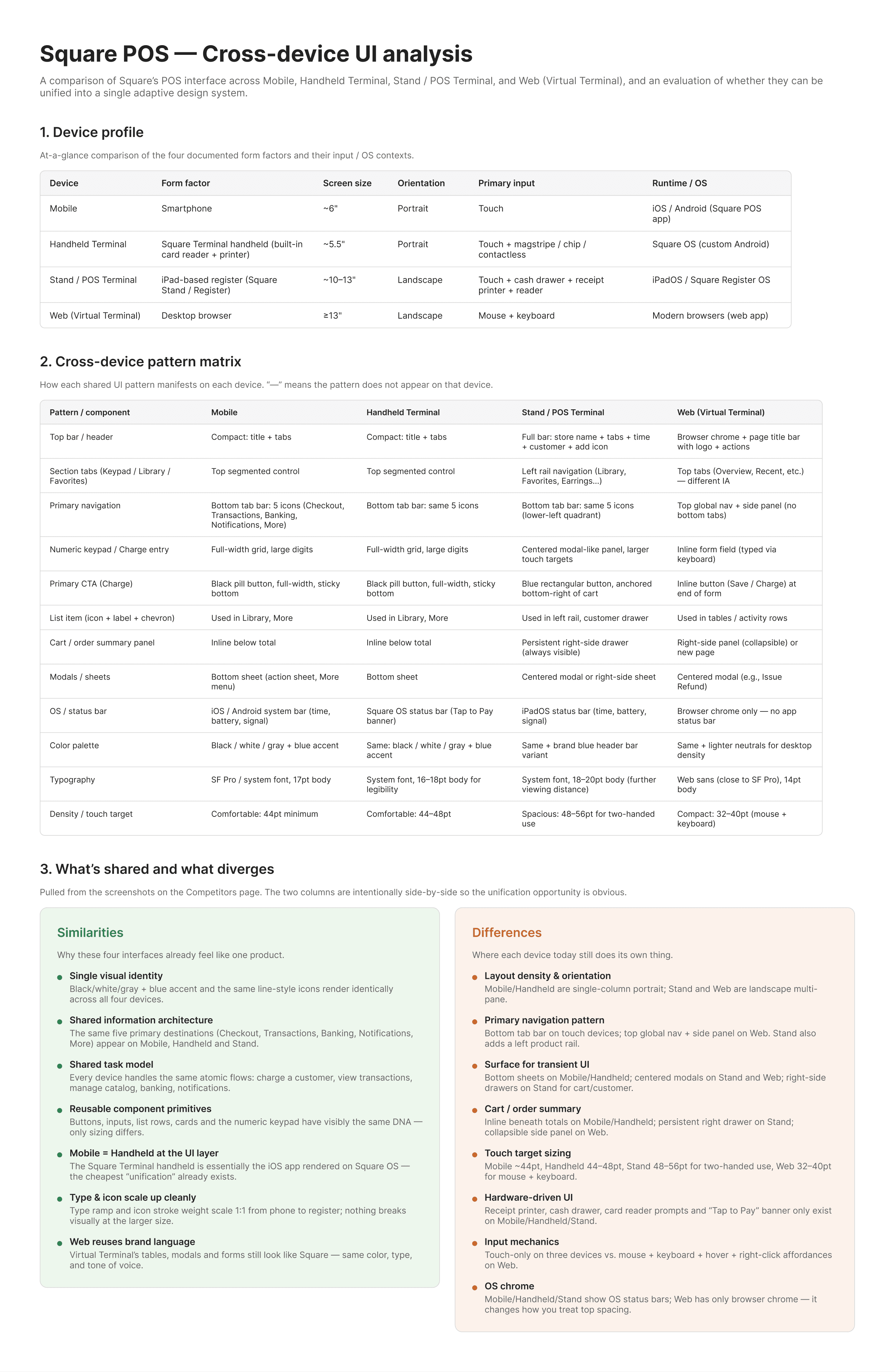
Square Insight report
Competitive analysis report for Square
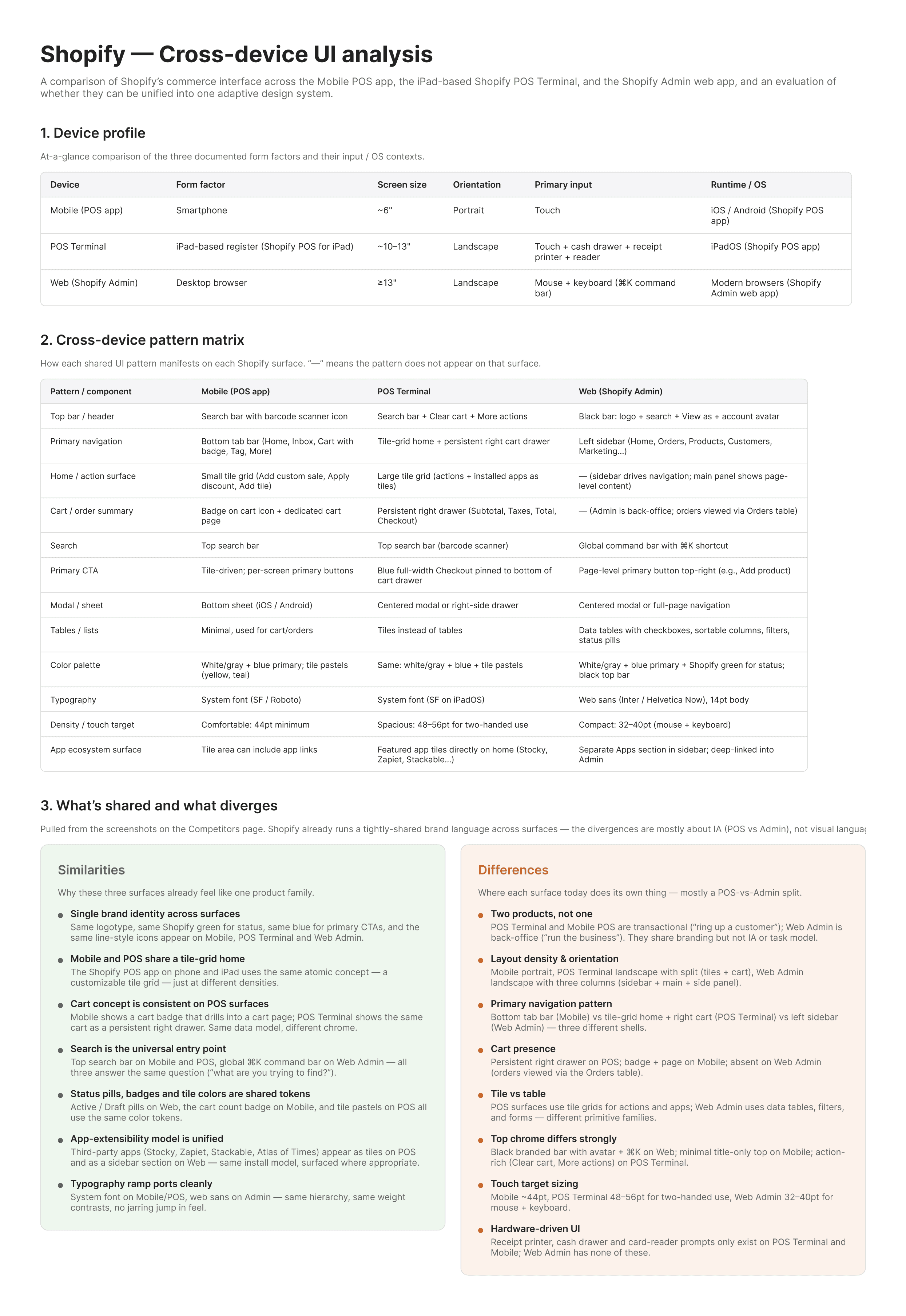
Shopify Insight report
Competitive analysis report for Shopify
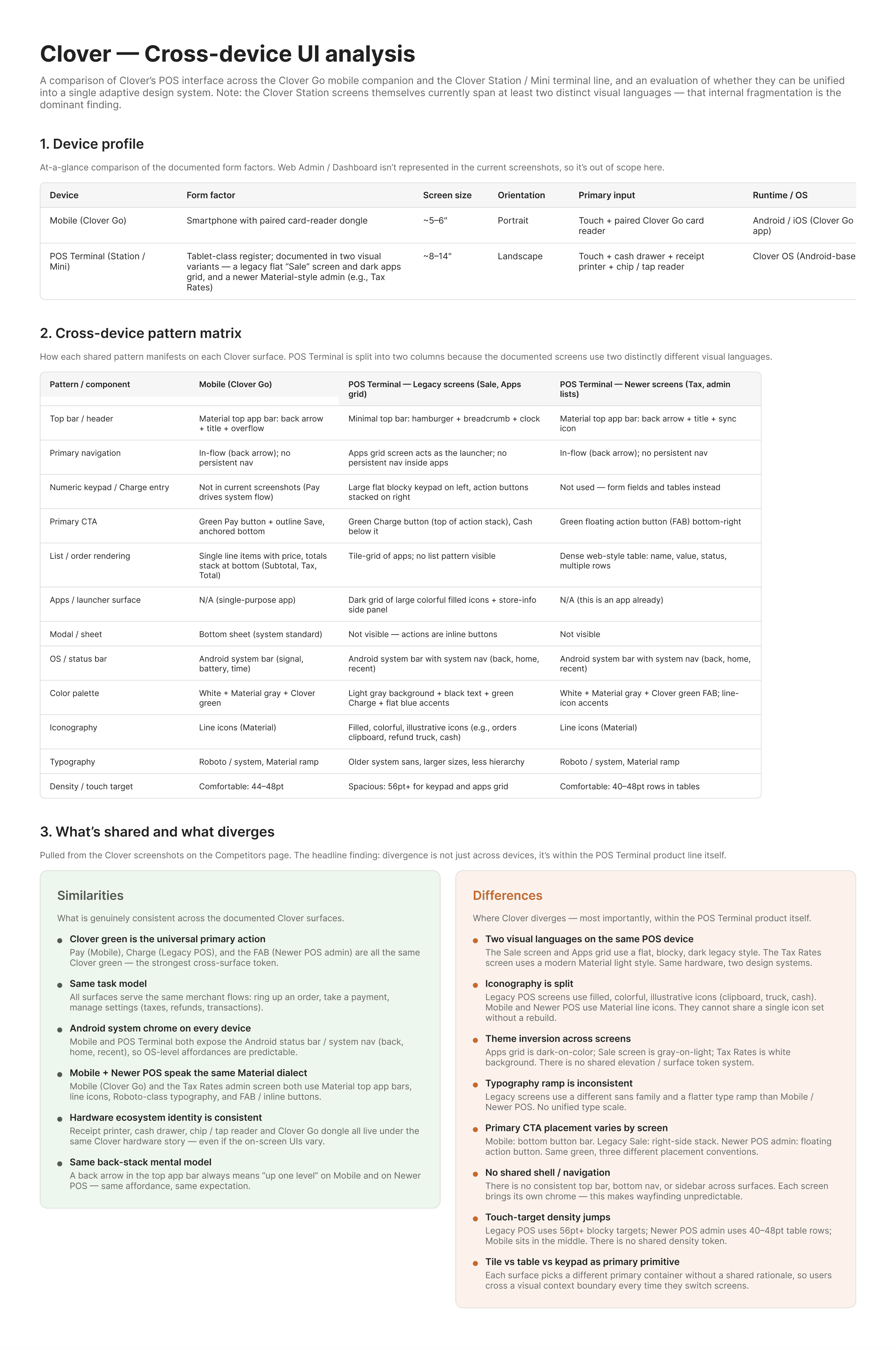
Clover Insight report
Competitive analysis report for Clover
02 · Governed execution

Design System
Application
& Governance

Use AI to apply and maintain design system standards at scale.
  • Apply design system components to existing designs
  • Check compliance with design system guidelines
  • Identify inconsistencies and suggest replacements
  • Map tokens, spacing, and typography automatically
Component Adoption Token Compliance System Audit
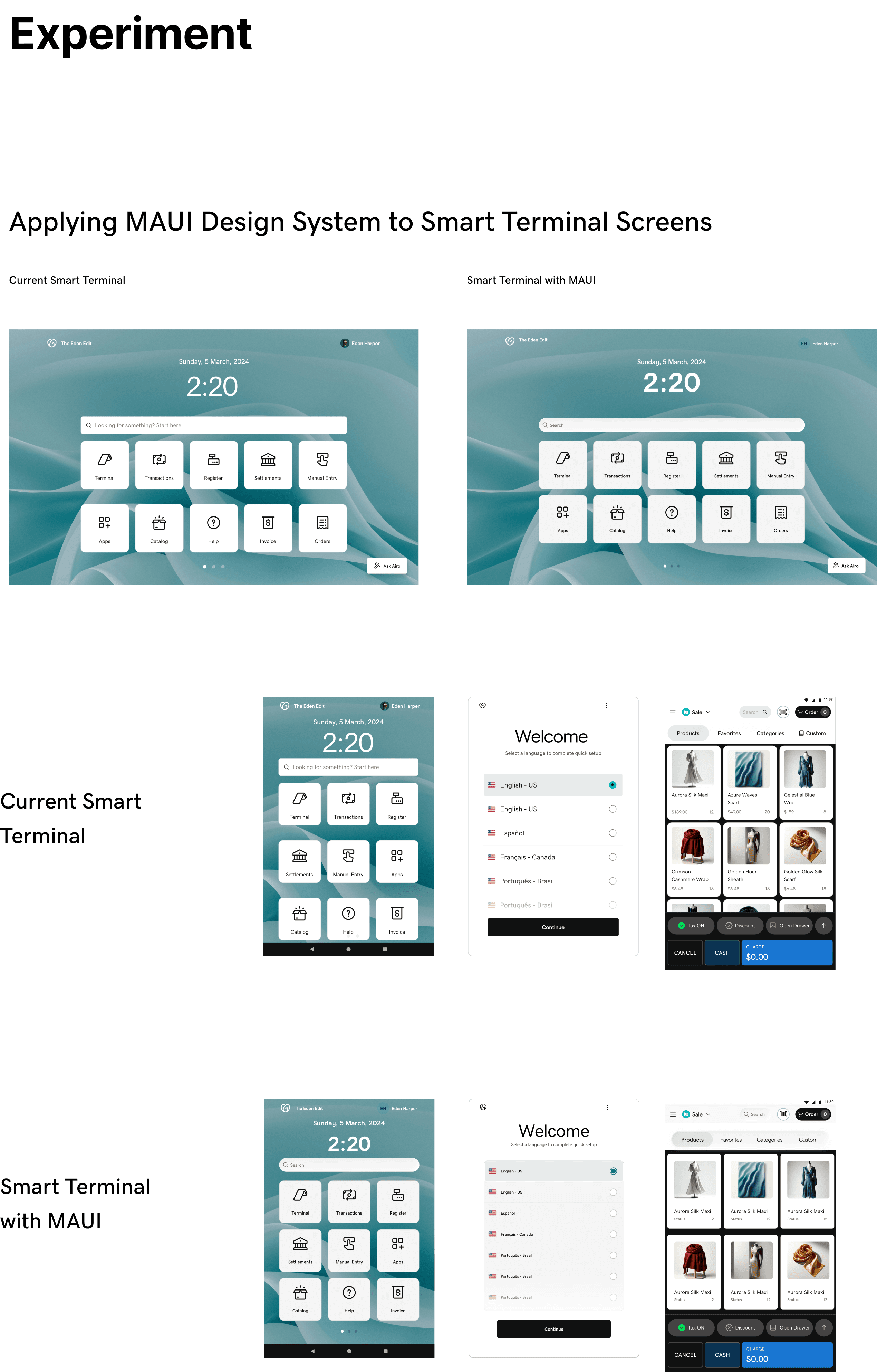
Applying a Shopify Retail design system to Smart Terminal screens
03 · System consolidation

Cross-File Comparison & System Consolidation

Use AI to compare files and support design system integration.
  • Compare multiple Figma files
  • Identify similarities and differences between design systems
  • Detect duplicate components and patterns
  • Support system consolidation and migration efforts
File Diff Component Inventory Migration Plan
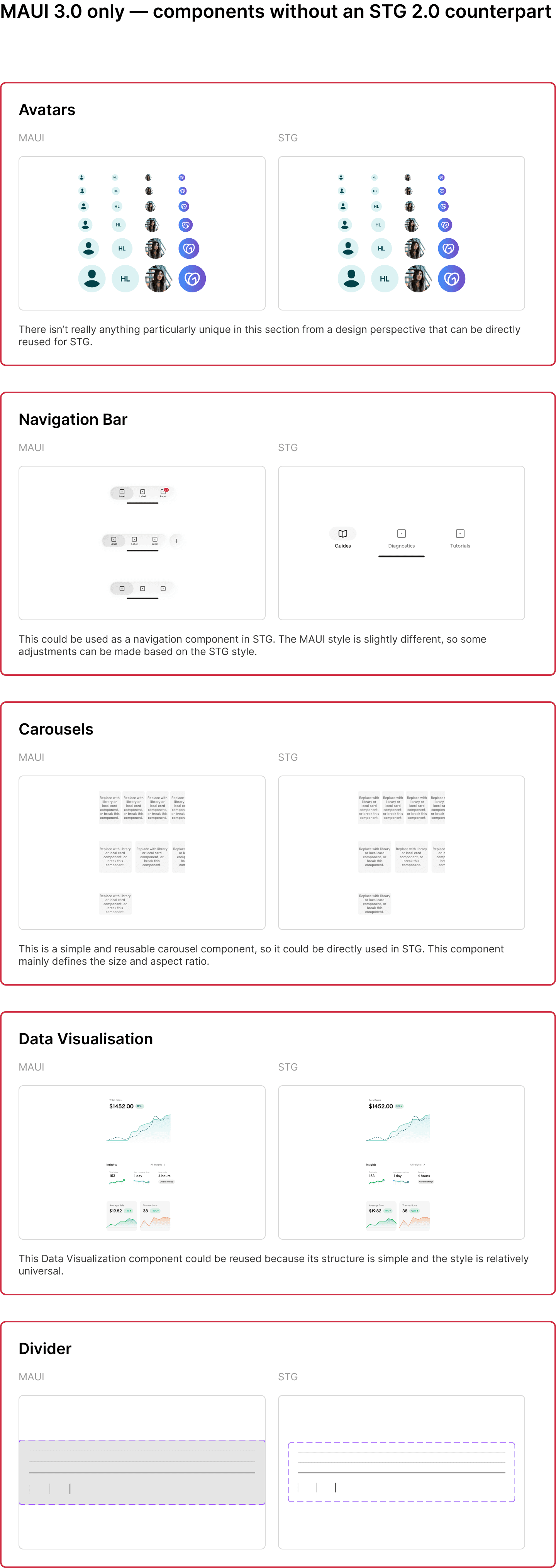
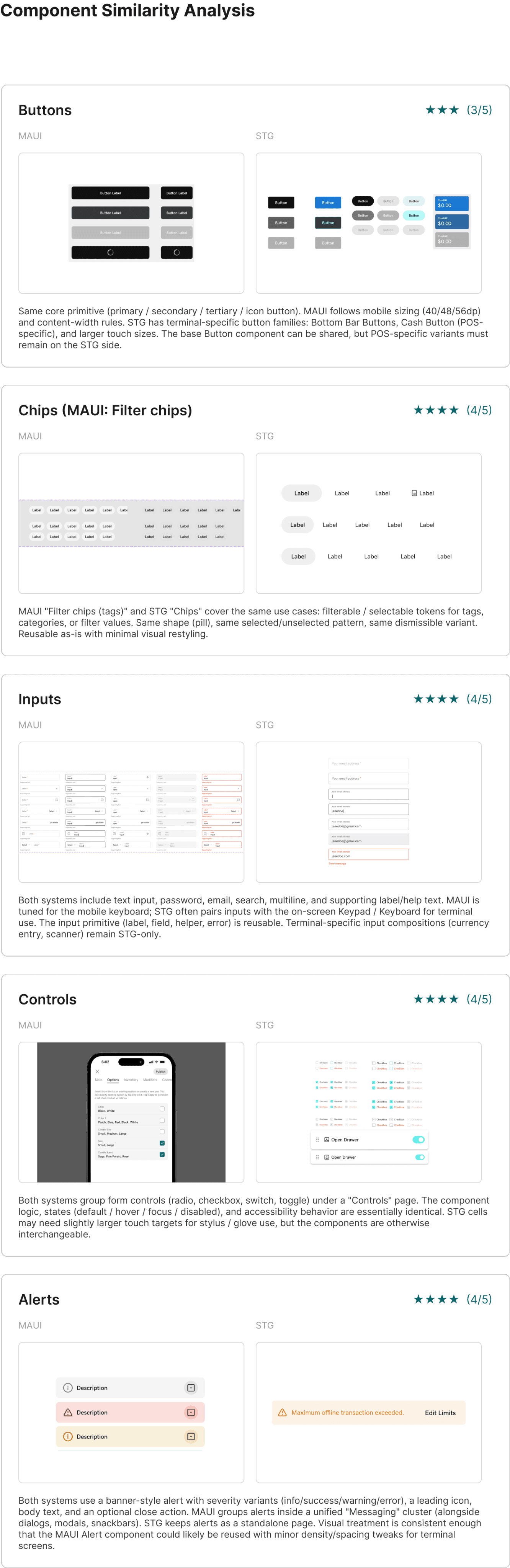
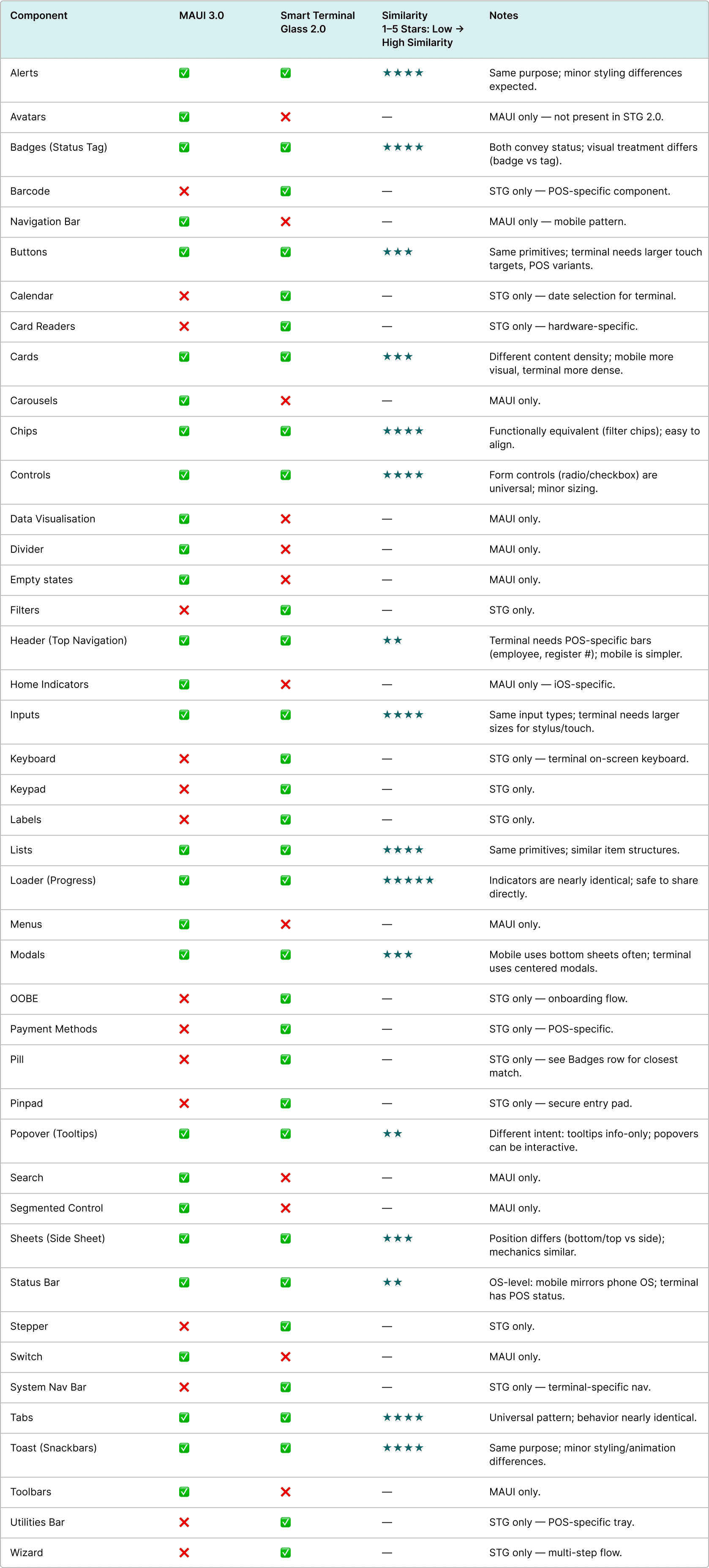
Component similarity comparison across two design systems
Design system comparison covering charts, map visualizations and layouts
Design system comparison covering KPI cards, tables and navigation patterns
Connected workflow

Three workflows,
one connected system

Research informs governance. Governance enables consolidation. Together, these AI-assisted workflows form a repeatable modern design process.

01 · RESEARCH INTELLIGENCE

Discover UI patterns & competitive insights from any product.

02 · GOVERNED EXECUTION

Apply & maintain design system rules across files at scale.

03 · SYSTEM CONSOLIDATION

Unify multiple files into one coherent, scalable architecture.