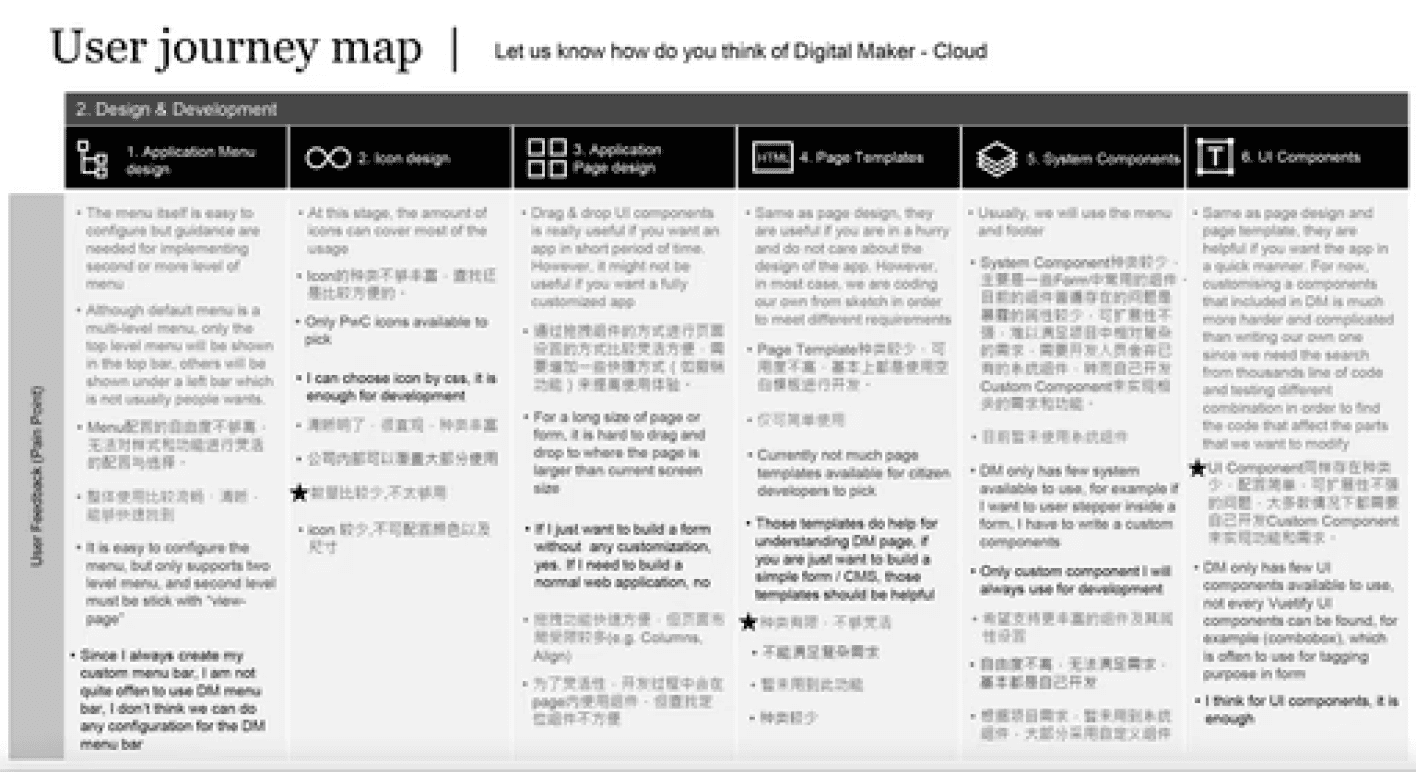
2.Getting feedback from users
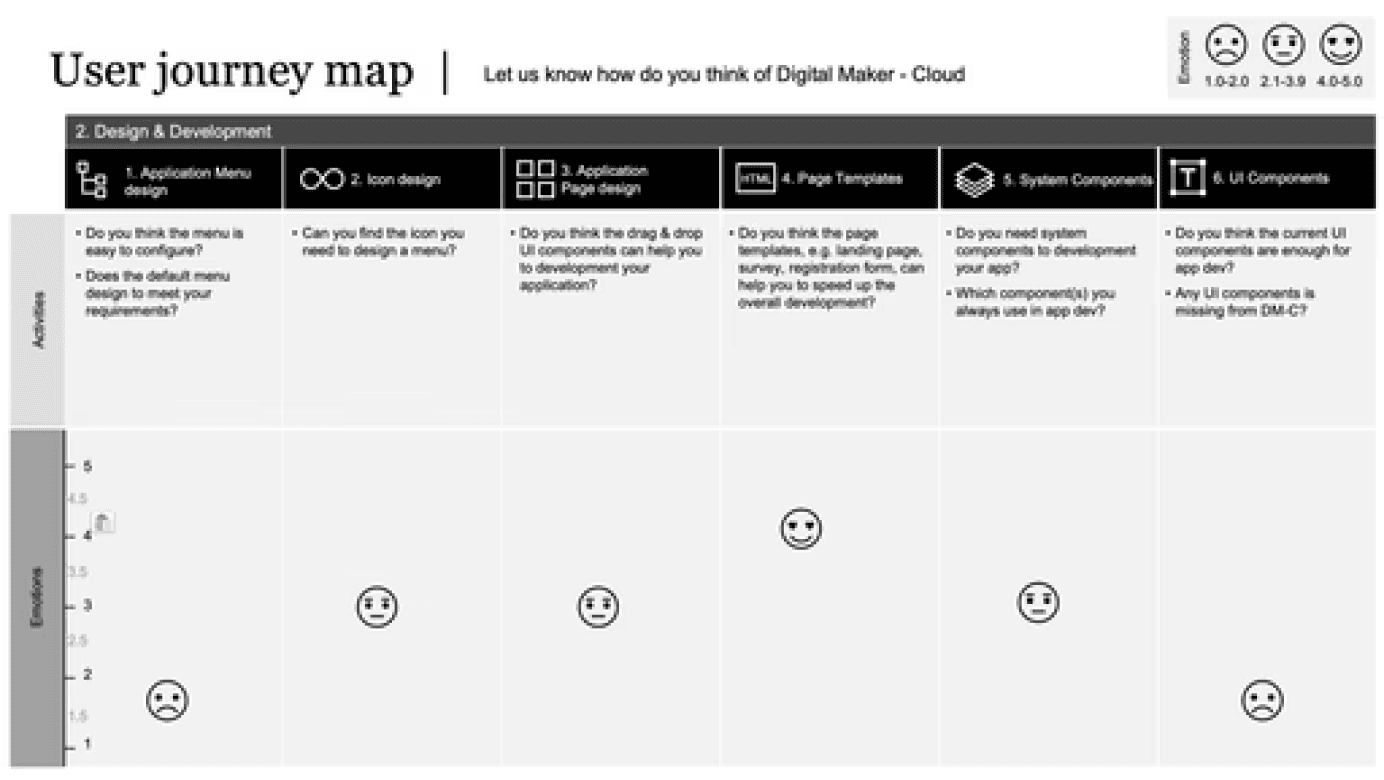
1. Using journey map to show how users feel
Research - Paint Points
The Problem
Smart at Work platform made by low code platform Digital Maker is focused on the core
interactions between people, documents and work flow managing the business. It enables
organizations to operate digitally with high productivity, agility and efficiency. However, the
platform's none-intuitive workflow and usability issues also hindered the efficiency
of our users' work.
Business
Needs
Users
Needs
Product
Needs
Generate competitive advantage
through high quality business
applications and drive business
growth and success
The need for more intelligent
working and convenient operation
including the record of business
and personal work arrangements
Because of the many functions
and the connection between
different functions, it is necessary
to consider the interaction
between them when designing
User Scenarios
“I would like to
effectively view the
status of all tasks
currently in progress
and easily create new
tasks and notify
relevant colleagues.”
“I want the interface
and interaction to be
consistent within and
between pages,
without giving me too
much thought and
confusion.”
“I want to know quickly
what the company and
my colleagues have
been up to, and I want
to know from the
calendar the latest
meetings and holiday
schedules so that I can
organize the current
work in hand.”
Efficiency
Intelligence
Consistency
Different Needs
Define The Problems
Base on Efficiency principle. From the analysis of the current page, we confirmed that there are mainly 3 places that can be upgraded, they are:
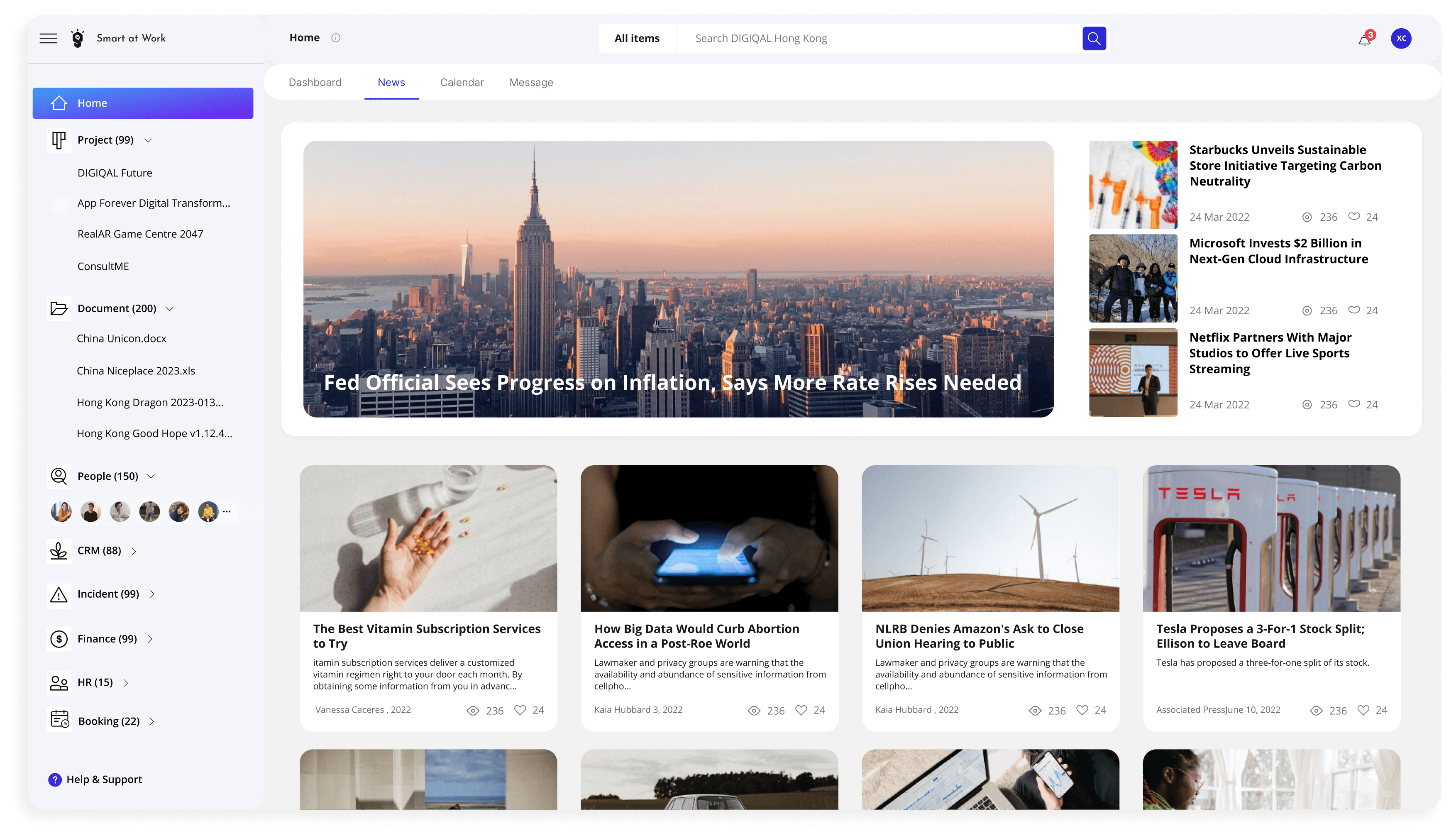
1.Navigation 2.News 3.Calendar
3.Setting
Index
Design system
Document
Modules
1.Onboarding
Index
Assistance
Document
People
Performance
review
Product
CRM
Incident
Dashboard
Message
News
Project
Calendar
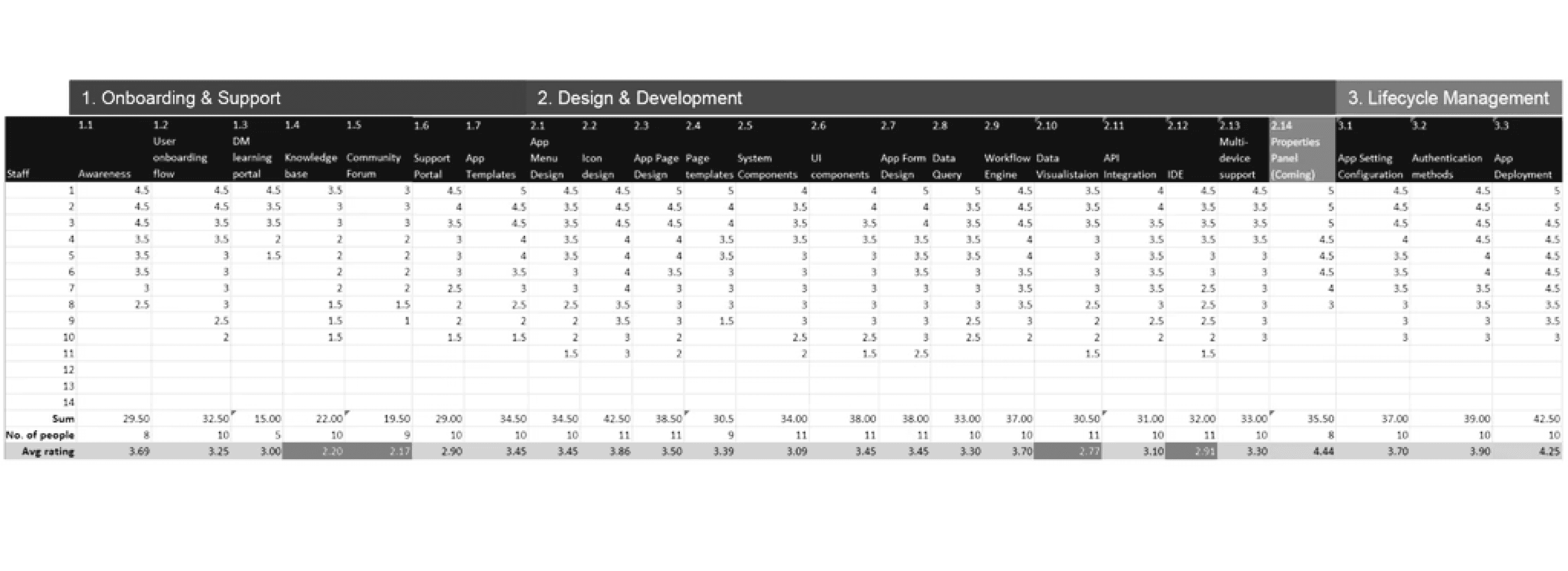
2.20
2.17
2.77
2.91
Due to the limited length of the content, only the most
important Index Page is put in this project for explanation
Based on these relatively urgent needs, we conducted a second survey with the relevant colleagues
to get a clearer picture of the parts that need improvement.
Average Rating Calculation
Index
Document
Calendar
Assistance
Index Page
Project: Users experience delays accessing their desired projects.
Document: Users struggle to find frequently used documents.
People: Users find it inefficient to invite others to meetings.
CRM: Users have difficulty updating their focused leads effectively.
Paint Points
1.Navigation
2.News
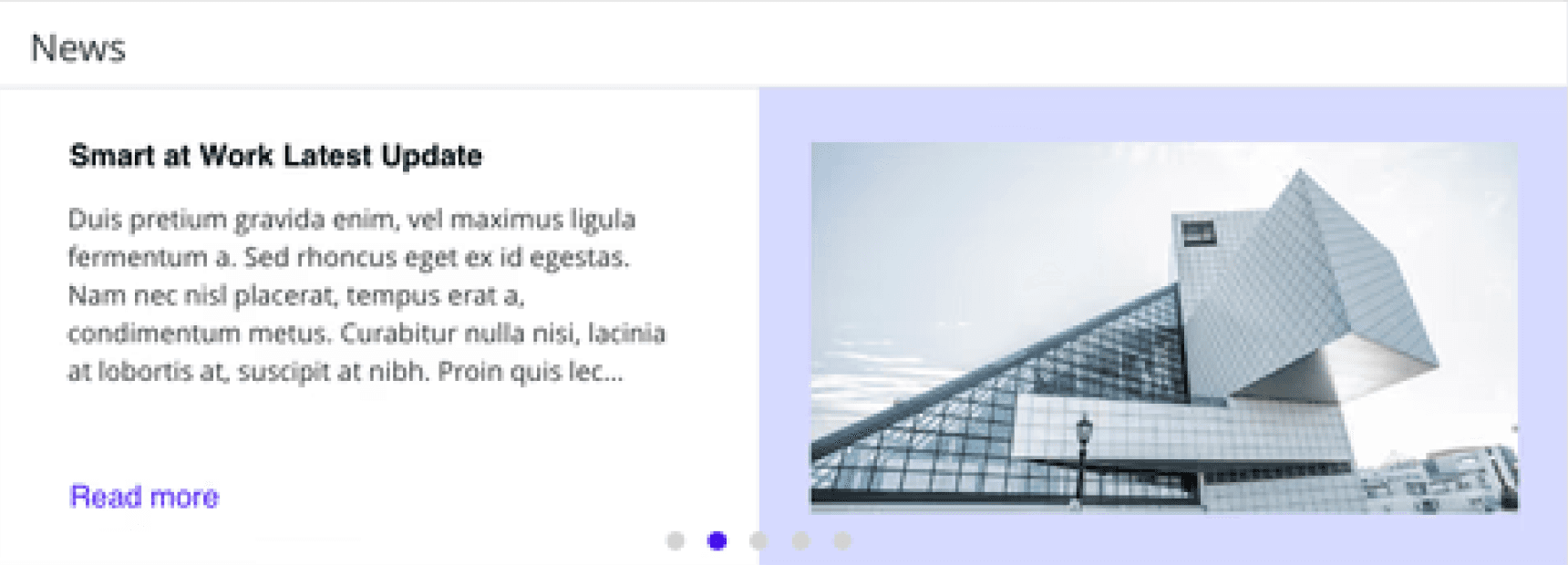
Iteration 1
Iteration 2
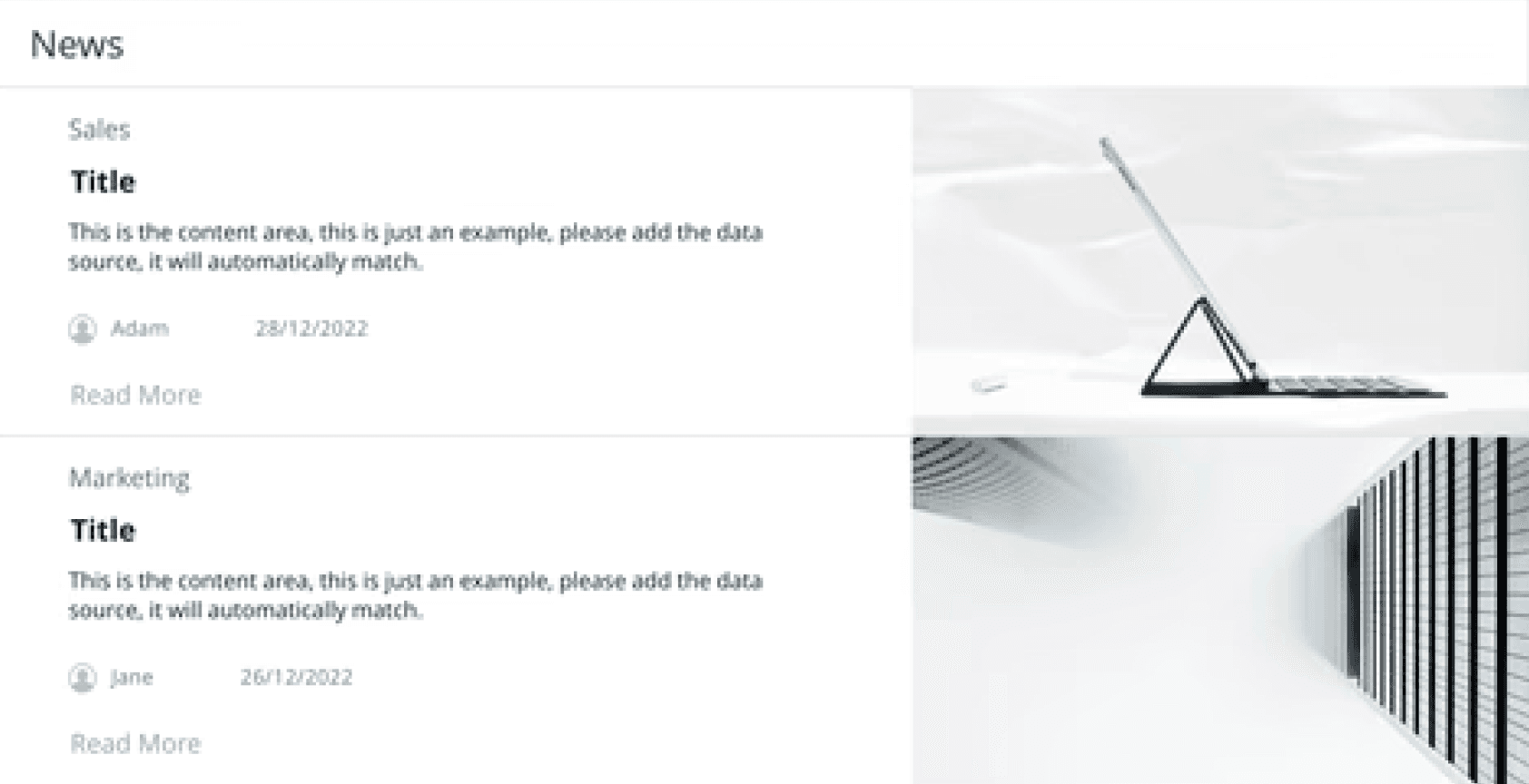
Pro: Users can access 2 news articles at a time,
each with an introduction to read.
Pro: Users can access 5 news articles by either
waiting or clicking the dots.
Con: Users can only read two news.
Con: They may jump to other pages before the
third news is displayed.
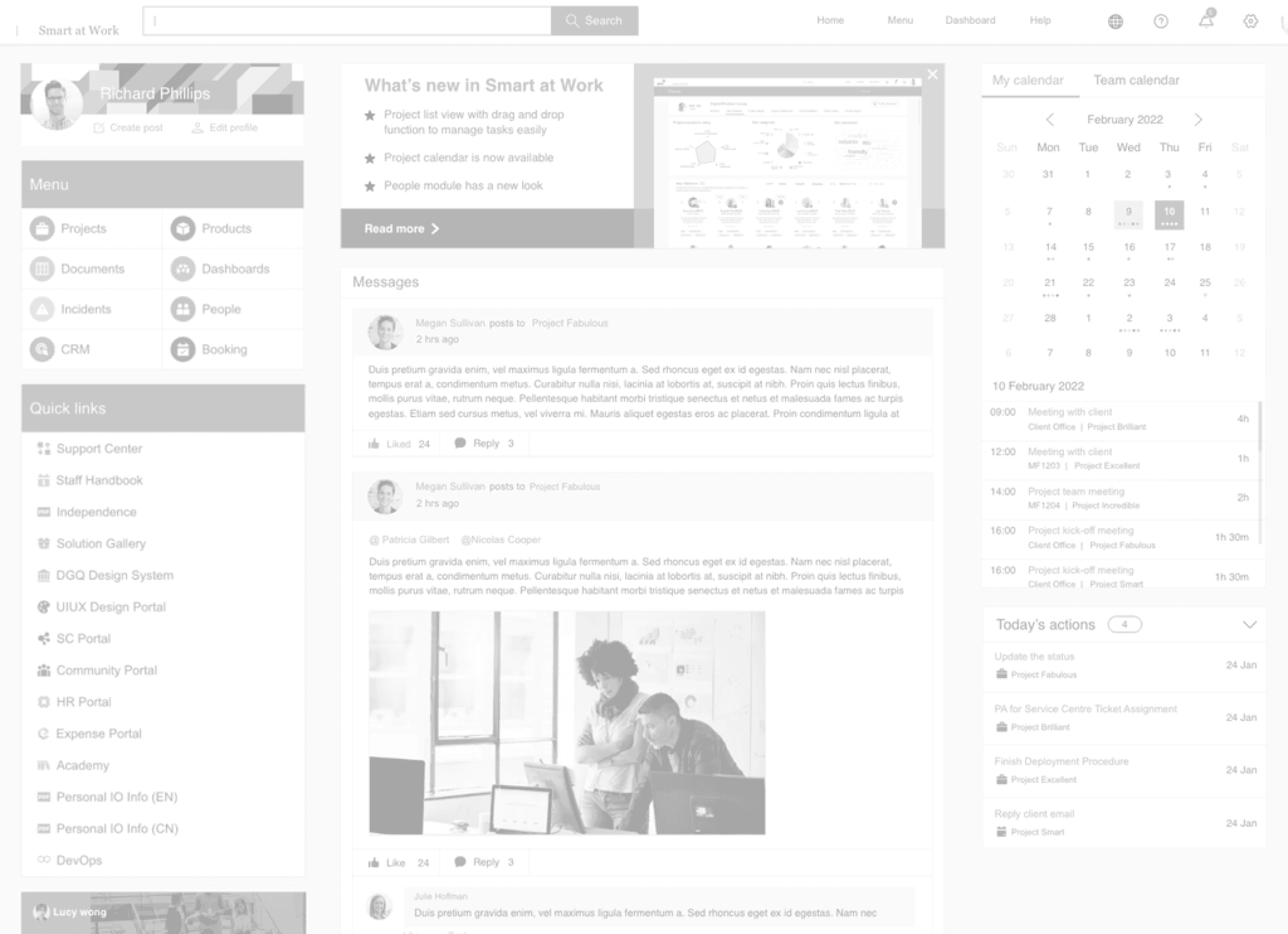
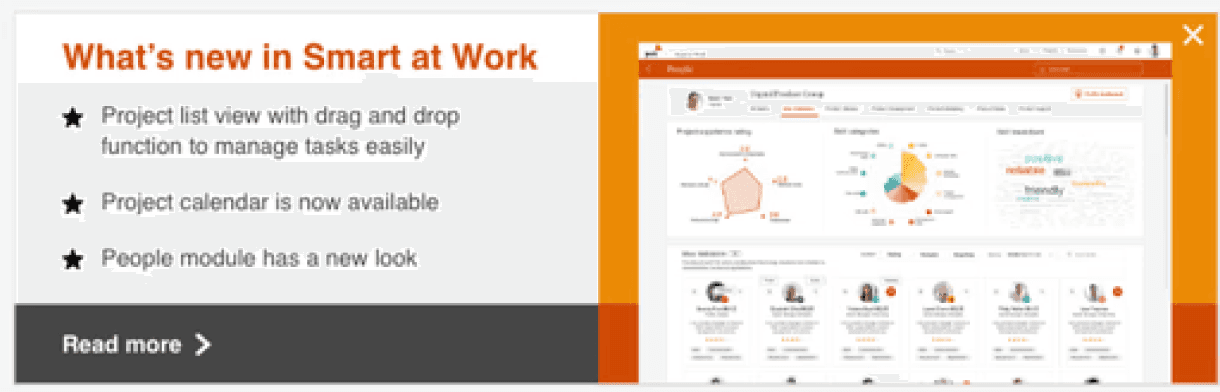
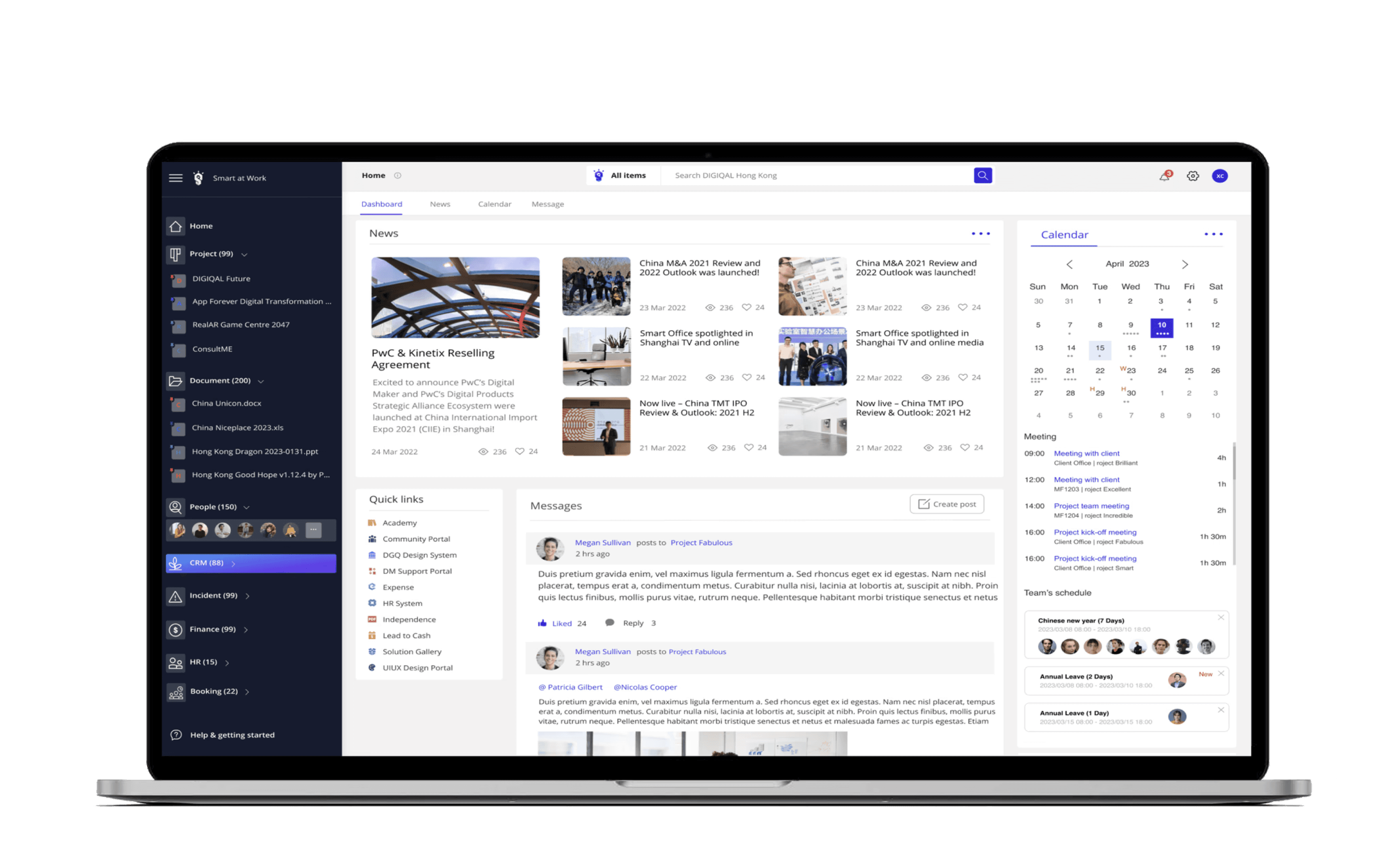
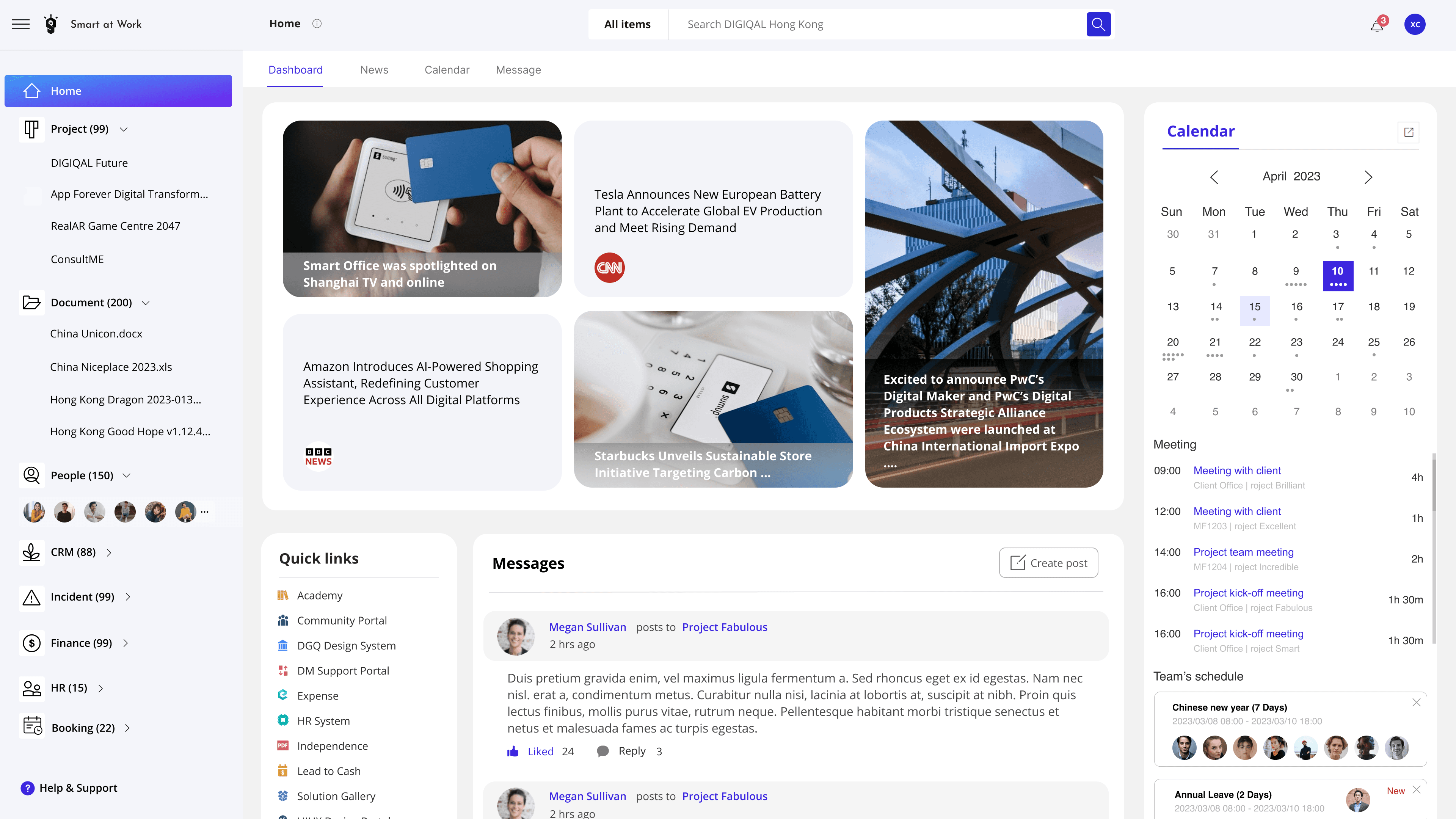
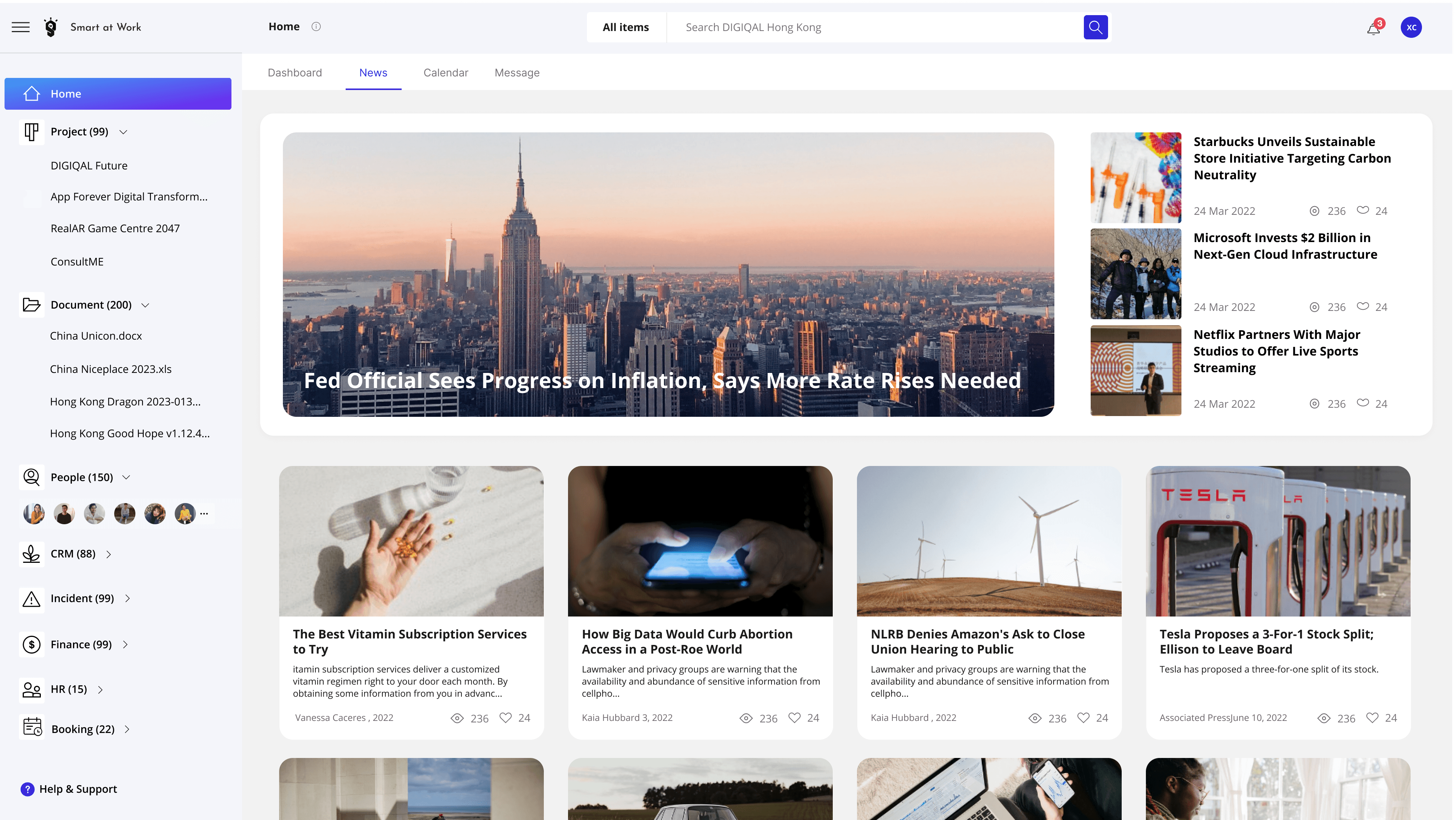
When users see the news page on the home page, they can only see one piece of news at a time, but it occupies a lot of space, so the efficiency of information acquisition is not very high. Therefore, based on the rule of Efficiency , I decide to add more information to the news section.
Iteration 3
Pro: Users can access 5 news articles
without waiting or clicking.

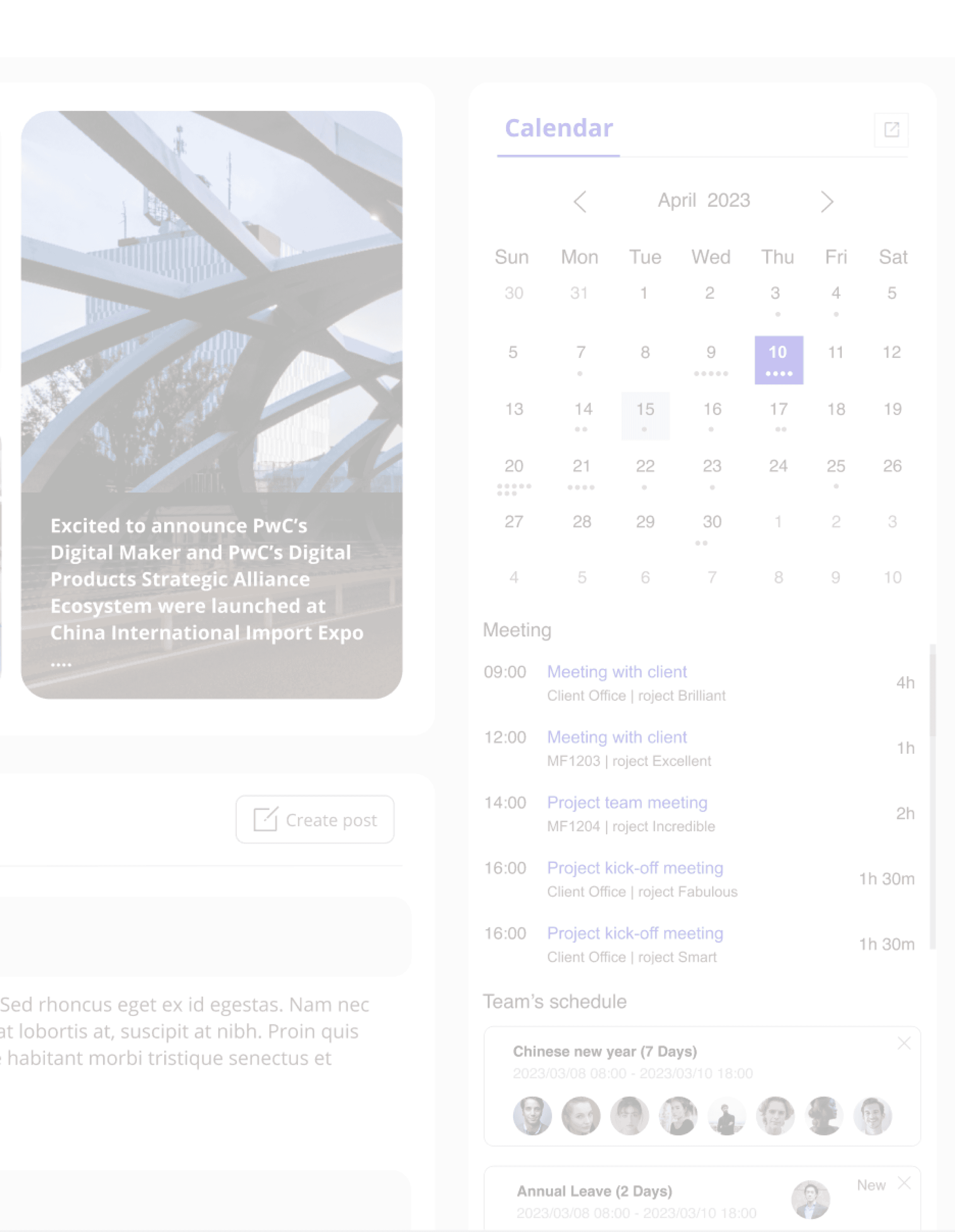
Final Outcome of Index Page
Metric
Satisfaction Rate
72%
88%
Time Reduction
34%
Testimonials
“You have successfully shortened the operation path, making the
entire site very convenient and fast to use. These changes have
really improved my productivity and I no longer need to spend time
on tedious steps. Now, everything is smoother and saves time and
effort. This system allows me to focus more on my work and it is a
really valuable upgrade. Thank you for providing us with such
excellent products!”
Ningning Zhang
“Your intelligent office system website is truly fantastic! The
addition of user-friendly features is a major highlight. I can easily
check vacation dates, colleagues' public schedules, and upcoming
tasks, which is crucial for improving collaboration. These features
make me feel closer to my team and help me plan my schedule
better. Thank you for providing us with such thoughtful and
practical features; it genuinely makes work more enjoyable and
efficient!”
Danny Zheng
“I'm familiar with your office system website's recent
enhancements! The expanded homepage info simplifies staying
updated. Company news, industry updates, and events are easily
accessible, eliminating the need to search multiple pages. This
streamlines information retrieval, fostering better team
connectivity. It's commendable! Thanks for improving product
quality.”
Emily Wong
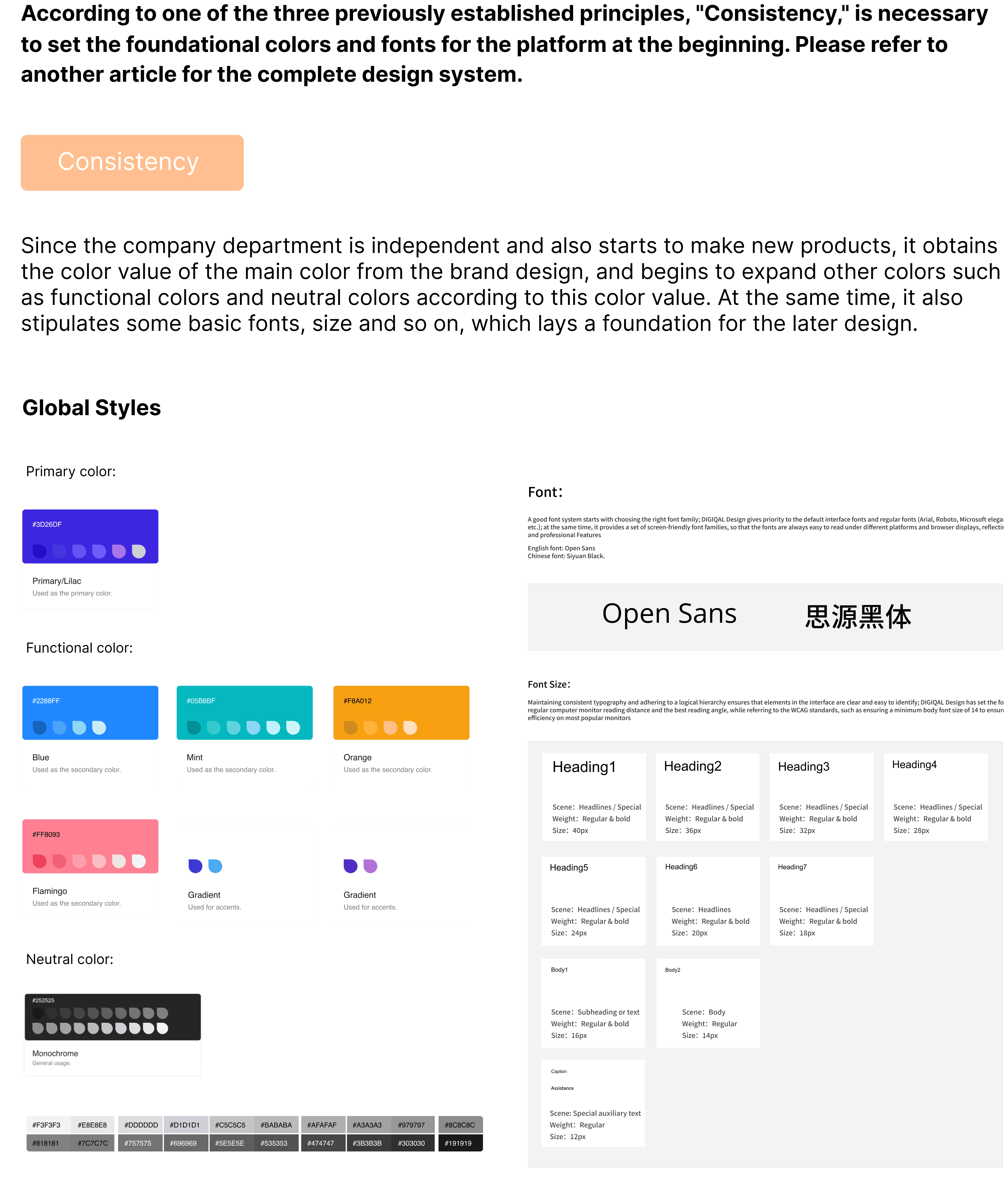
Interface Consistency - Design System
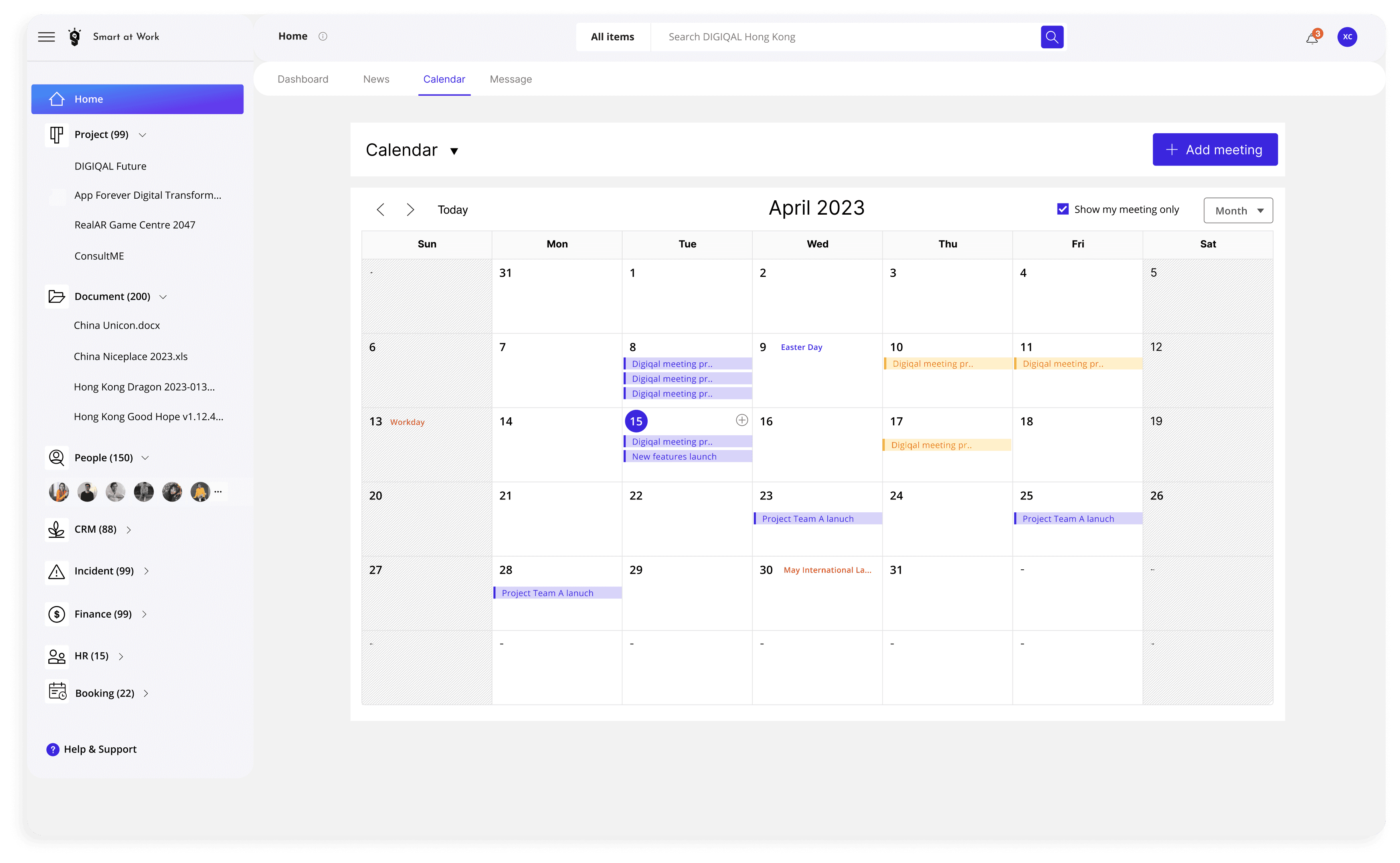
Problem: Users can view dates and meetings on the calendar, but they still cannot easily see the number of meetings or colleagues’ vacation plans without asking individually, leaving room for improvement base on Intelligence principle.
Su
n
Mon
Tu
e
Wed
Thu
30
31
1
2
5
7
8
9
13
14
15
16
20
21
22
23
27
4
28
5
29
6
30
7
April 2023
Calendar
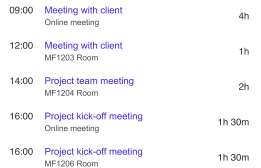
Meeting
Team’s schedule
Fri
Sa
t
3
4
5
1
1
12
17
18
19
24
25
26
1
8
2
9
3
10
10
W
H
H


Chinese new year (7 Days)
2023/03/08 08:00 - 2023/03/10 18:00
New

Annual Leave (2 Days)
2023/03/08 08:00 - 2023/03/10 18:00

Annual Leave (1 Day)
2023/03/15 08:00 - 2023/03/15 18:00
To Do
Configurable notification setting
BMS Product Optimization
Workflow Delegation
# PMO Meeting
Uger Manual
BMS Product Oplimization.
Requirement - Waich
BMS Product Optimization
Configurable notification setting
EMS Product Optimization
14 Apr
13 Apr
13 Apr
12 Apr
12 Apr
10
Overdue
18
All
5
Today
3
Due soon


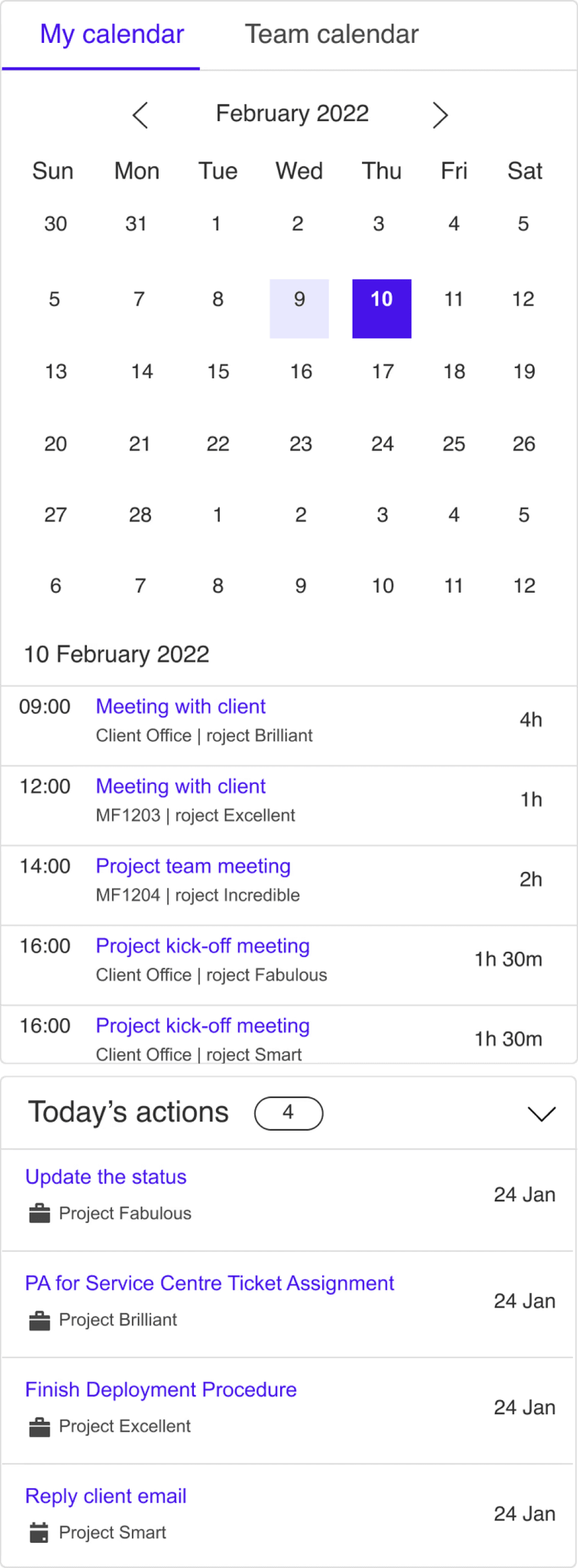
Iteration 1
15
Today’s task
3
Due Soon
2
Overdue
To Do
20
20
To collect requirements and groo...
MOS Presentation
To check and test features
Sass development
To retrospect the sprint process d...
Aure checking project
To update product backlogs
Sass development
To check and test features presen...
MOS Presentation
14
Apr
13
Apr
13
Apr
12
Apr
12
Apr
Iteration 2
International
Workers' Day
The selected full color is filled, and the dots represent
the number of meetings
Today is light blue
Hover comes outline border,
If there is a holiday on that day (H) display the holiday name above
Colleagues on statutory holidays together
Colleagues on annual leave
30
H
30
W
The following shows your colleagues' recent vacation
status to facilitate work scheduling
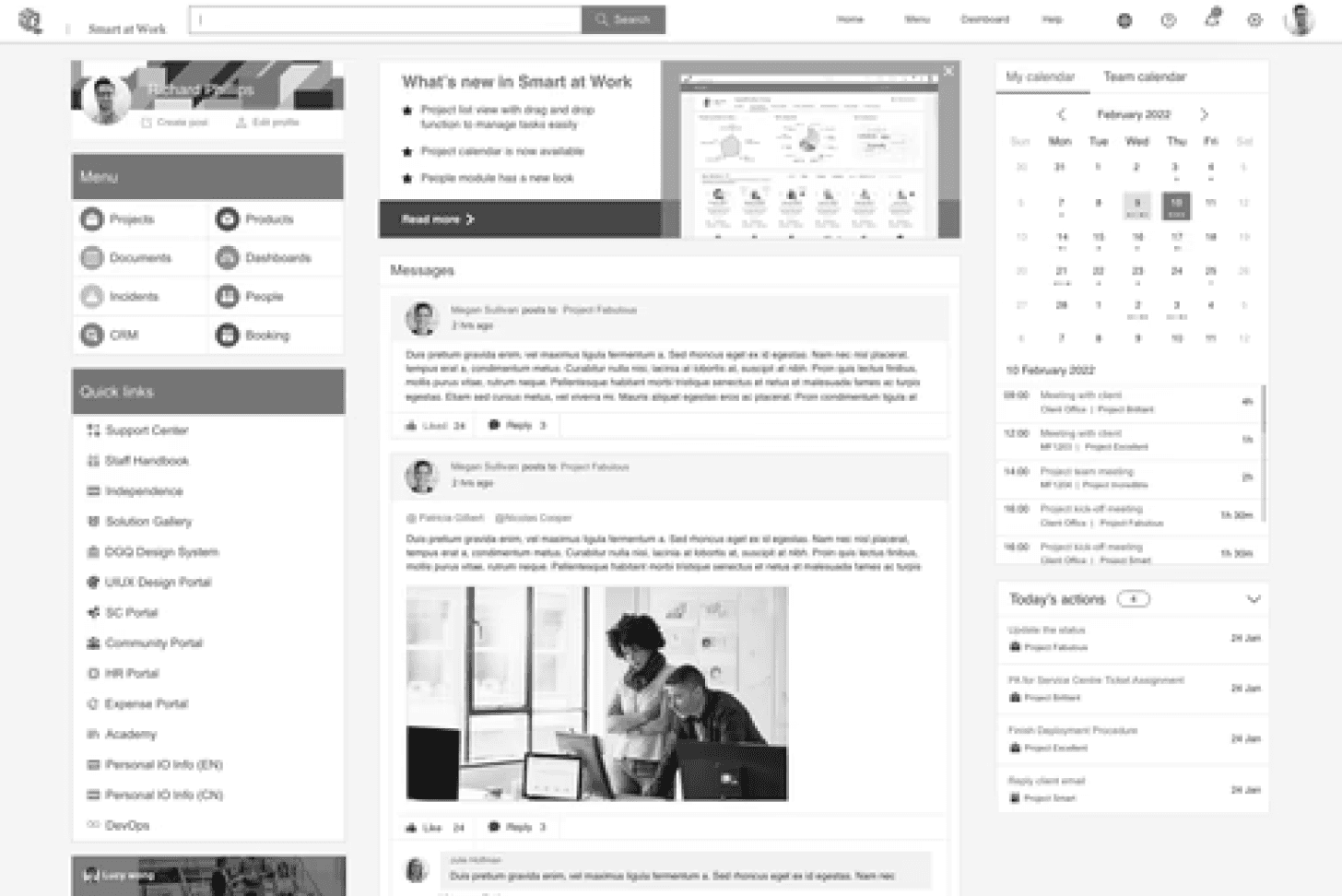
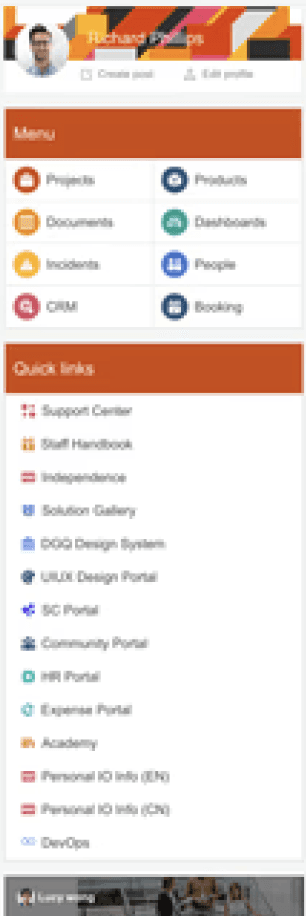
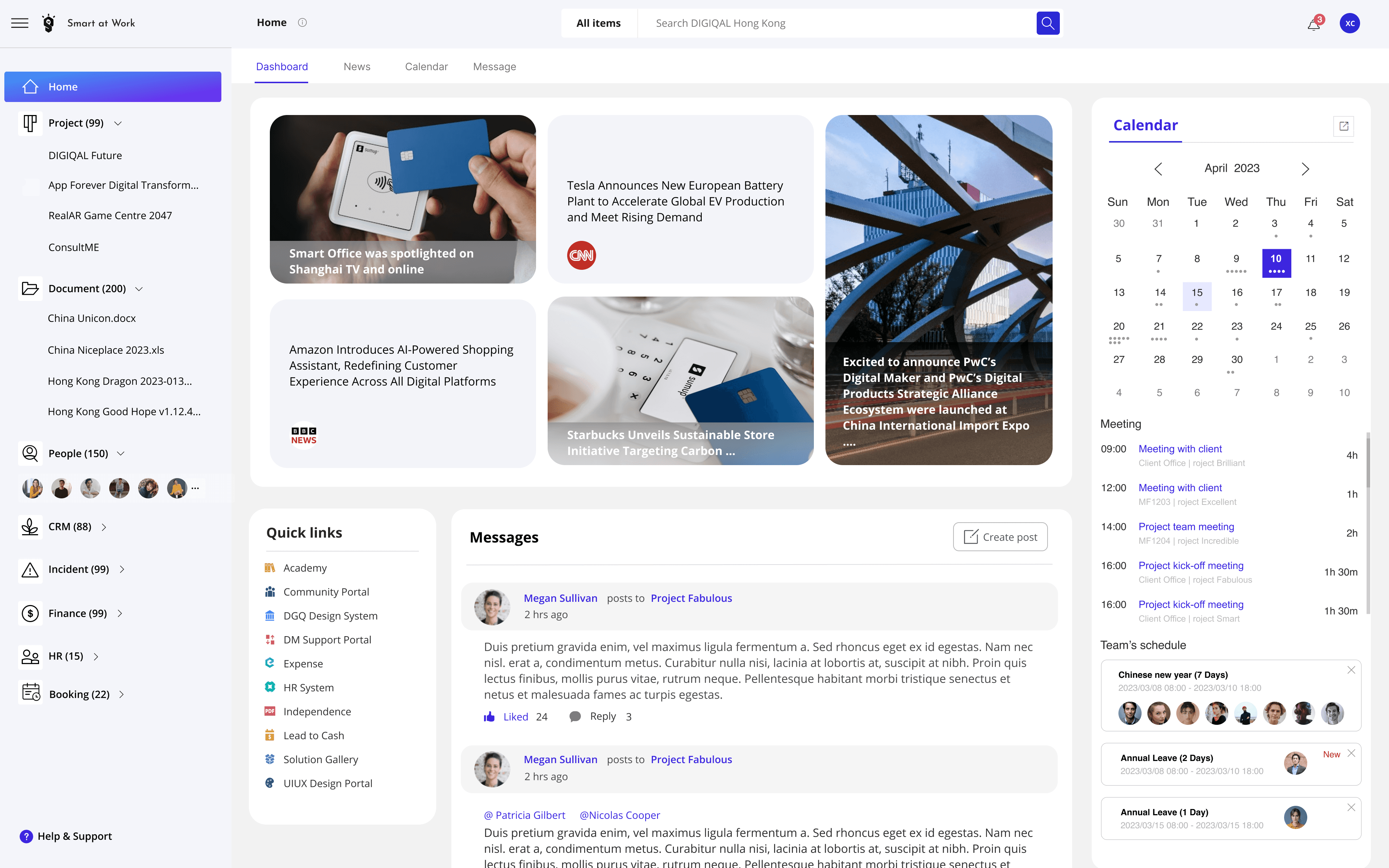
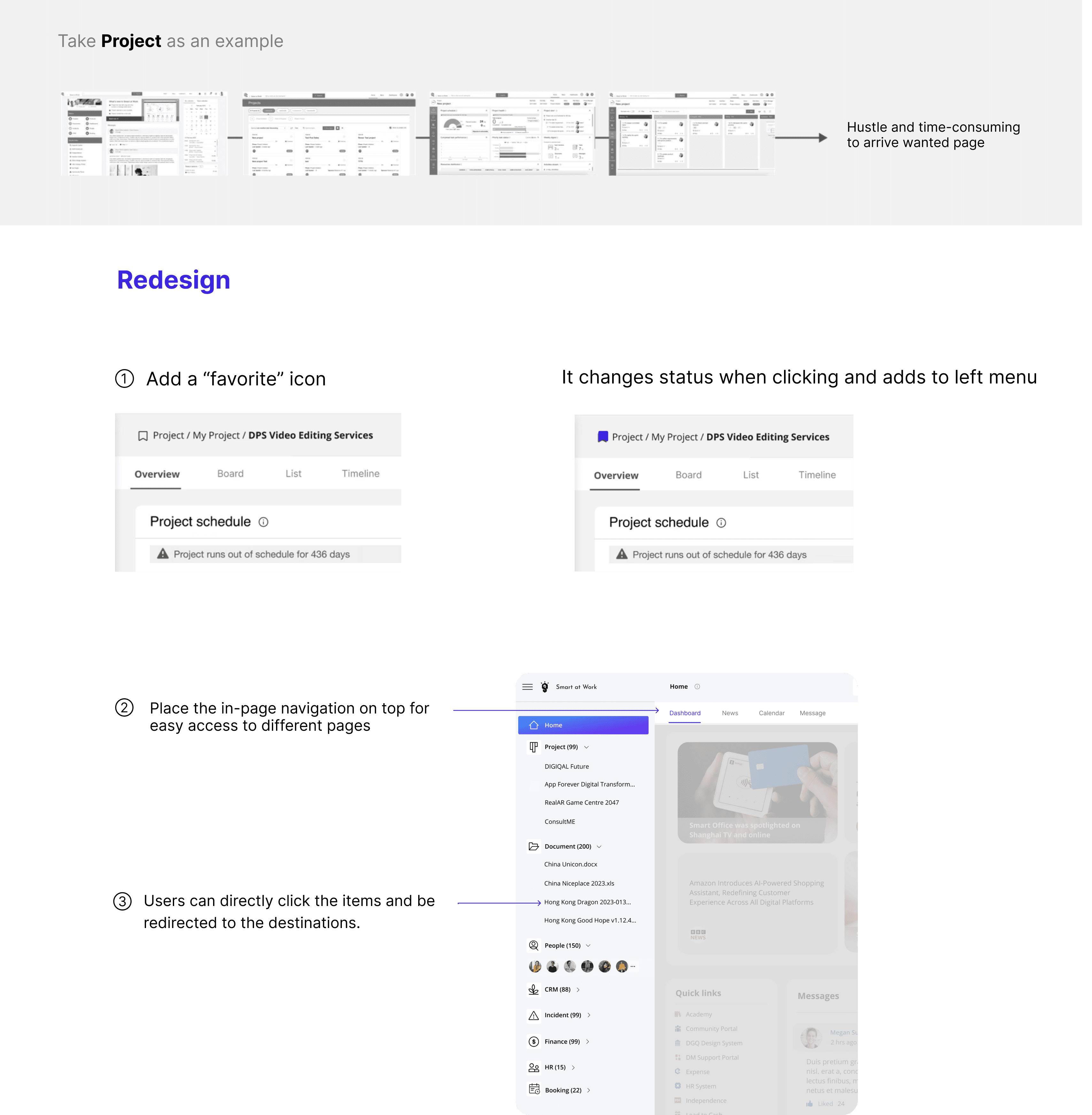
1.Navigation
2.News
3.Calendar
Research
Layout Design
Flow Design
Component Design
Interface Design
My Role
Upgrading the work platform to make it efficient, user-friendly and modern.
1 Designer
A team of developers
Project Scope
Smart at Work

3.Calendar